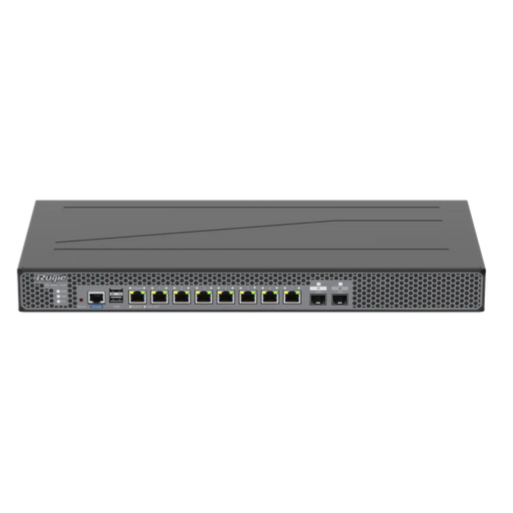
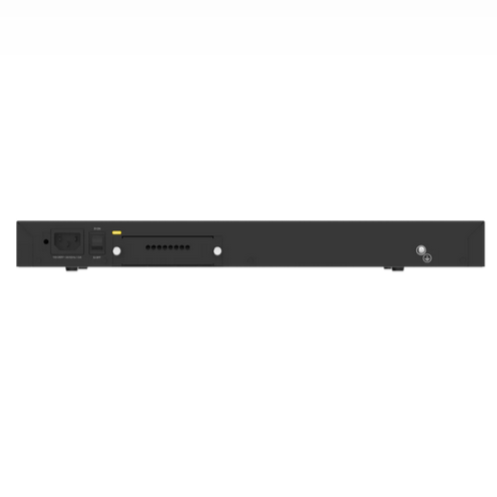
RUIJIE REYEE RG-WALL 1600-Z3200-S
Cocok untuk hotel, perkantoran, sekolah, pabrik, dan rumah sakit untuk pertahanan keamanan jaringan | Fitur Penting | Pemindaian port + pengenalan lalu lintas data, rekomendasi kebijakan/aturan cerdas, pemasangan mudah | Penerapan kebijakan/aturan setelah simulasi, optimisasi kebijakan/aturan kapanpun | Menemukan kesalahan dalam sekali klik di pusat diagnostik cerdas | Cloud, memudahkan bisnis anda
Deskripsi Produk
Product Performance
|
Firewall Throughput4 |
Firewall (Traffic Mix) |
IPS1 |
NGFW1,2 |
Threat Protection1,3 |
|
10 Gbps |
1 Gbps |
900 Mbps |
850 Mbps |
800 Mbps |
|
10 Gbps |
2 Gbps |
1.6 Gbps |
1.2 Gbps |
900 Mbps |
|
10 Gbps |
3 Gbps |
2 Gbps |
1.6 Gbps |
1 Gbps |
|
Combination of product and performance licenses: | ||||
|
System Performance and Capacity |
RG-WALL 1600-Z3200-S |
|
Firewall throughput of IPv4 packets (1518-byte UDP packets)4 |
10 Gbps |
|
Firewall throughput (packets per second) |
1.8 Mpps |
|
Concurrent sessions (TCP) |
500000 |
|
New sessions/second (TCP) |
50000 |
|
Firewall policies |
3000 |
|
SSL VPN throughput |
384 Mbps |
|
Concurrent SSL VPN users (recommended maximum, tunnel mode) |
500 |
|
Application control throughput (HTTP 64K)2 |
3 Gbps |
|
IPsec VPN throughput (512-byte) |
1.3Gbps |
|
Gateway-to-Gateway IPsec VPN tunnels |
1000 |
Note:
All performance values are the maximum values and may vary depending on system configuration.
- The performance values of IPS (mixed traffic), application control, NGFW, and threat protection are measured with logging enabled.
- NGFW performance is measured with firewall, IPS, and application control enabled.
- Threat protection performance is measured with firewall, IPS, application control, and malware protection enabled.
- Firewall throughput is the maximum forwarding performance (1518-byte UDP packets) of hardware.
Hardware Specifications
Dimensions and Weight
|
Dimensions and Weight |
RG-WALL 1600-Z3200-S |
|
Product dimensions (W x D x H) |
440 mm x 200 mm x 43.6 mm (17.32 in. x 7.87 in. x 1.72 in.; without rubber pads) |
|
Shipping dimensions (W x D x H) |
520 mm x 345 mm x 106 mm (20.47 in. x 13.58 in. x 4.17 in.) |
|
Product weight |
2.9 kg |
|
Shipping weight |
4.0 kg |
|
Form factor |
1 U rack |
Port Specifications
|
Port Specifications |
RG-WALL 1600-Z3200-S |
|
Fixed 1G electrical port |
8 × 10/100/1000 Base-T RJ-45 Ethernet electrical ports with auto-negotiation |
|
Fixed 1G optical port |
1 × 1000BASE-SX/LX/ZX Ethernet optical port |
|
Fixed 10G optical port |
1 × 10GBASE-SR/LR/ZR Ethernet optical port (with 10G/1G auto-negotiation) |
|
Fixed management port |
1 × 10/100/1000 Base-T RJ-45 Ethernet port with auto-negotiation (reusing port Ge 0/0) |
|
Console port |
1 x RJ-45 console port (serial console port) |
|
USB port |
2 x USB 2.0 ports |
Storage Specifications
|
Storage |
RG-WALL 1600-Z3200-S |
|
Hard disk |
No hard disk for factory delivery. A 1 TB SATA hard drive can be added. |
Power Supply and Consumption
|
Power Supply and Consumption |
RG-WALL 1600-Z3200-S |
|
Power supply |
Built-in single power module: |
Environment and Reliability
|
Environment and Reliability |
RG-WALL 1600-Z3200-S |
|
Operating temperature |
0°C to 45°C (32°F to 113°F) |
|
Storage temperature |
–40°C to +70°C (–40°F to +158°F) |
|
Operating humidity |
5% RH to 95% RH (non-condensing) |
|
Storage humidity |
5% RH to 95% RH (non-condensing) |
|
Noise level |
43.7 dB |
|
Operating altitude |
0–5000 m (0–16404 ft.) |
|
Compliance |
EMC SZEM2302000974ATV |
Software Specifications
Network
|
Network |
RG-WALL 1600-Z3200-S |
|
Physical interface |
Configuring interfaces as LAN/WAN interfaces; three IP address assignment modes for WAN interfaces: PPPoE, DHCP, and static IP modes |
Object
|
Object |
RG-WALL 1600-Z3200-S |
|
Address/Address group |
Configuring address objects in IP address/range format |
|
Zone |
Configuring security zones |
|
Application and application group |
Configuring application types in application/application group mode |
|
Service/Service group |
Configuring service objects; common default port services supported |
|
Time plan |
Configuring time objects; one-off time plans and cyclic time plans supported |
|
Virus protection template |
Configuring content object templates; predefined virus protection templates supported |
|
Configuring virus protection templates Configuring quick scan or deep scan; configuring templates based on protocols and directions; setting excluded viruses |
|
|
Intrusion prevention template |
Configuring content object templates; predefined intrusion prevention templates supported |
|
Configuring intrusion prevention templates Configuring rule filters based on objects, severity, protocols, threat types; setting excluded rules |
|
|
SSL proxy certificate |
Adding, importing, deleting, viewing, and downloading SSL proxy certificates Configuring a global SSL proxy certificate |
|
Server certificate |
Importing, deleting, viewing, and downloading server certificates |
|
Security rule base |
Viewing default security rules in the IPS library |
Policy
|
Policy |
RG-WALL 1600-Z3200-S |
|
Traffic learning |
Traffic learning to record destination IP addresses and port numbers as well as abnormal traffic |
|
Export of traffic learning logs |
|
|
NAT |
NAT and NAT policies |
|
Policy import |
Batch import of NAT policies |
|
ALG |
Common NAT ALG services in NAT policy |
|
Server mapping |
Server port mapping in NAT policy |
|
Address pool |
NAT address pool status display in NAT policy |
|
Security policy |
Configuring security policies; customizing policies based on parameters including objects, contents, and zones; policy list |
|
Security policy |
Batch import of security policies |
|
Simulation policy |
Simulating policy execution in the simulation space to check whether uncertain security policies can achieve expected effects |
|
Policy configuration wizard |
Security policy configuration wizard for conducting port scan, performing configurations, testing configurations, and other steps to generate security policies |
|
Policy optimization |
Sorting out configured security policies and analyzing policies to identify redundant, expired, and conflicting policies |
|
Policy lifecycle |
Full lifecycle display of security policies, including detailed records of policy changes |
|
Port scan |
Port scan of configured IP ranges for all ports or selected ports; policy creation prompt for scan results |
|
DoS/DDoS attack defense |
Different DDoS attack defense policies in security defense |
|
ARP attack defense |
Anti-ARP spoofing, ARP flooding suppression, and other functions in security defense |
|
Local defense |
Configuring local defense policies in security defense |
|
Blocklist/Allowlist |
Configuring global blocklists and allowlists |
|
SSL proxy policy |
Configuring SSL proxy policies; customizing policies based on parameters including objects, contents, and zones; policy list |
|
SSL proxy template |
Configuring SSL proxy templates; setting the template type to protecting client or server |
|
Allowlist |
Configuring domain name allowlists and application allowlists |
System
|
System |
RG-WALL 1600-Z3200-S |
|
Administrator |
Creating device administrators, including account names, passwords, and description |
|
Administrator role |
Setting multiple administrator roles and assigning different permissions |
|
Clock configuration |
Configuring system time; NTP service configuration supported |
|
Service parameter |
Configuring service ports for a device, including web (HTTPS), SSH, and other ports |
|
Authorization management |
Managing licenses of devices, including license import and activation |
|
Device information |
Viewing device information, including the product name, SN, and MAC address, version information, running time, and license information |
|
System restart |
Restarting the system on the web UI |
|
System upgrade |
Upgrading the system |
|
Patch installation |
Downloading and installing patches for upgrade |
|
Configuration backup |
Import and export of device configurations |
|
Factory settings restoration |
Restoring factory settings on the web UI |
|
Signature library upgrade |
Automatic signature library upgrades based on the latest versions on the cloud |
|
Cloud management platform |
Enabling or disabling unified management on the cloud management platform |
|
Device binding |
Adding devices to the cloud management platform by scanning a QR code |
|
Ping |
Ping for troubleshooting |
|
Tracert |
Tracert for troubleshooting |
|
Packet obtaining tool |
Tool for obtaining packets and exporting results |
|
One-click collection |
Collecting fault information with one click |
|
Device health |
Device health diagnosis |
|
Service diagnosis |
Service continuity diagnosis |
|
Breakdown record |
Breakdown information records |
|
Device log retention |
Device log retention |
|
External APIs |
RESTful APIs for third-party interconnection |